You want to sleep at night knowing your front door, driveway, and back windows are watched, even when nobody is home. The trouble is that the camera aisle throws a hundred choices at you, and half of them will not fit your house. The best CCTV camera system is the one built around how your home is laid out and how you live, and a clean CCTV installation is what turns those cameras into protection you can count on. This guide breaks down what to look at before you buy.
What “Best” Means for a Home CCTV System
There is no single camera that works for every home. The best system for a small apartment looks nothing like the setup a three-story house with a yard needs. Instead of chasing a brand name, look at what the system does for your property. A good home CCTV system covers the spots a burglar tests first, records clear footage day and night, stores that footage where you can reach it, and lets you check in from your phone.
This matters more than most homeowners expect. A study from the University of North Carolina at Charlotte interviewed 422 convicted burglars, and about 60 percent said a visible security system would push them to pick a different target. You can read the UNC Charlotte burglary study for the full picture. A camera that a burglar can see from the sidewalk does two jobs at once. It records the ones who try, and it turns away many more before they ever step onto your property.
Wired vs Wireless CCTV: Which Fits Your Home?
This is the first fork in the road, and it shapes everything after it. Both types record and both can be strong choices, so the right pick depends on your home and how permanent you want the setup.
Wired Systems
A wired system runs cables from each camera back to a recorder. The footage is steady, the connection does not drop, and the cameras draw constant power, so nothing dies on you at midnight. The trade-off is the setup. Running cable through walls and ceilings takes planning, which is where a proper CCTV installation earns its keep. For a house you own and plan to stay in, wired is often the sturdier long-term answer.
Wireless Systems
A wireless system sends footage over your home Wi-Fi, so there is less drilling, and the cameras move where you need them. This suits renters and smaller homes well. The catch is that wireless leans on a strong signal and, for battery models, on charging every so often. A weak router or a dead zone at the back of the house can leave a gap right where you wanted coverage.
Camera Types That Cover a Home the Right Way
A home rarely needs one kind of camera everywhere. Each type has a job, and the best systems mix a few to cover the whole property without wasting money on the wrong tool.
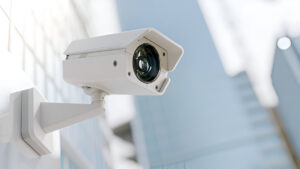
- Bullet cameras: long and visible, good for driveways and long side yards, and their obvious shape adds deterrence
- Dome cameras: rounded and low-profile, hard to tell where they point, and a fit for porches and entryways
- Doorbell cameras: sit at the front door, catch faces and package thieves, and let you speak to whoever rings
- PTZ cameras: pan, tilt, and zoom to follow movement across a large yard or a long driveway
- Floodlight cameras: pair a bright light with recording, so they light up and capture anyone stepping into the dark
For most homes, a doorbell camera at the front, a couple of bullet or dome cameras on the corners, and a floodlight camera over the back cover the paths a burglar actually uses.
Resolution, Night Vision, and the Features That Matter
A camera is only as useful as the footage it hands you when something goes wrong. Grainy video that cannot show a face is close to useless in a police report, so a few specs carry real weight.
Start with resolution. A 1080p camera is the sensible floor for a home, and 2K or 4K gives you the detail to read a license plate or make out a face near the door. Next is night vision, since most break-ins that matter happen when it is dark or nobody is looking. Infrared night vision or a color night mode keeps the picture usable after sunset. Then comes the field of view, which decides how wide each camera sees, so a wider lens means fewer cameras to cover the same space.
Smart features round it out. Motion detection with phone alerts tells you the moment something moves, and two-way audio lets you warn off a stranger from your couch. Person detection cuts down false alerts from passing cars and cats, so your phone buzzes for what matters and stays quiet for what does not.
Where Your Footage Lives: Local vs Cloud Storage
Recording the video is only half the story. If the footage is not stored where you can get it, a camera gives you nothing after a break-in. Home systems save footage in two main ways, and many now use both.
Local storage keeps the video on a recorder or a memory card in your home. A DVR works with older analog cameras, while an NVR pairs with newer IP cameras and holds sharper footage. Local storage means no monthly fee and no reliance on the internet, though a thief who finds the recorder can walk off with it. Cloud storage sends the footage to a server you reach from an app, so the evidence survives even if the camera is stolen or smashed. The trade-off is a subscription and a dependence on your internet staying up. A setup that records locally and backs up the key clips to the cloud gives you the safety of both.
Why Professional CCTV Installation Beats a DIY Box
A camera kit on the shelf looks simple, and the box promises a ten-minute setup. The gap shows up later, when the footage you needed is blurry, the back corner has no coverage, or the whole system drops offline during a storm. Placement is the part that decides whether a system protects you, and placement is where most DIY jobs fall short.
A professional CCTV installation starts by assessing your property. The tech finds the blind spots, sets each camera at the right height and angle so a face is captured instead of the top of a head, and mounts the gear where weather and tampering will not kill it. Cameras placed too high see only scalps, and cameras aimed into the sun wash out at the worst moment. A proper install also secures the network side, so nobody hijacks your feed and ties the cameras in with the rest of your home security, like your locks and access control. The result is a system that covers what it should and holds up when you finally need the footage.
Matching a CCTV System to Your Type of Home
The right setup changes with the home, so it helps to picture your own place before you buy.
Apartments and Small Homes
A renter or a small homeowner often does best with a wireless setup, a doorbell camera, and one or two indoor cameras. It covers the entry and the main room without drilling through a landlord’s walls, and it moves with you when you go.
Larger Houses With Yards
A bigger property needs more eyes and steadier power. Wired cameras on the corners, a floodlight camera over the back, and a PTZ camera watching a long driveway close the gaps that a burglar looks for. For a full security picture, many homeowners pair the cameras with a wider security systems installation and tie the whole thing to their door locks, so the cameras and the hardware work as one layer instead of separate parts.
Lock In Your Home’s Safety Before It Is Tested
A break-in does not send a warning. It happens on an ordinary evening while you are out to dinner or asleep upstairs, and the family that wishes they had put up cameras last month is the one telling the story afterward. You can get ahead of that, and the cost of doing it now is small next to the cost of wishing you had.
At Alpha Locksmith & Security, we handle home CCTV installation across Hoboken and the wider New Jersey area, matching the cameras, resolution, and storage to your property and setting each one where it does the most good. As a licensed security company, our team also ties your cameras in with your locks, access control systems, and alarms, so your whole home works as one system rather than a pile of parts. When you want your doors, windows, and yard watched around the clock, reach out to our team for a walkthrough and a quote built around your home.